Here is a simply guide to help with downloading, sharing and saving your new photos.
Once we have finished editing your photos we will send you an email with some handy info as well as importantly a secure link to view, share and download your photos.
Once you click on the link it will take you to our lovely gallery website which is driven by the amazing smugmug. Here you can view your photos either on a computer or a mobile device. You can also share this link to anyone that you want to show the whole gallery too.
The photos will be on our gallery for around 1 year.
DOWNLOADING
You now have 2 options depending on what you want to do and what your viewing own, You can scroll through the photos and just download your favourites to your mobile device just like any other photo you were saving. Once a photo is onscreen you will get a download icon BELOW THE PHOTO and it will download just that photo to your device.
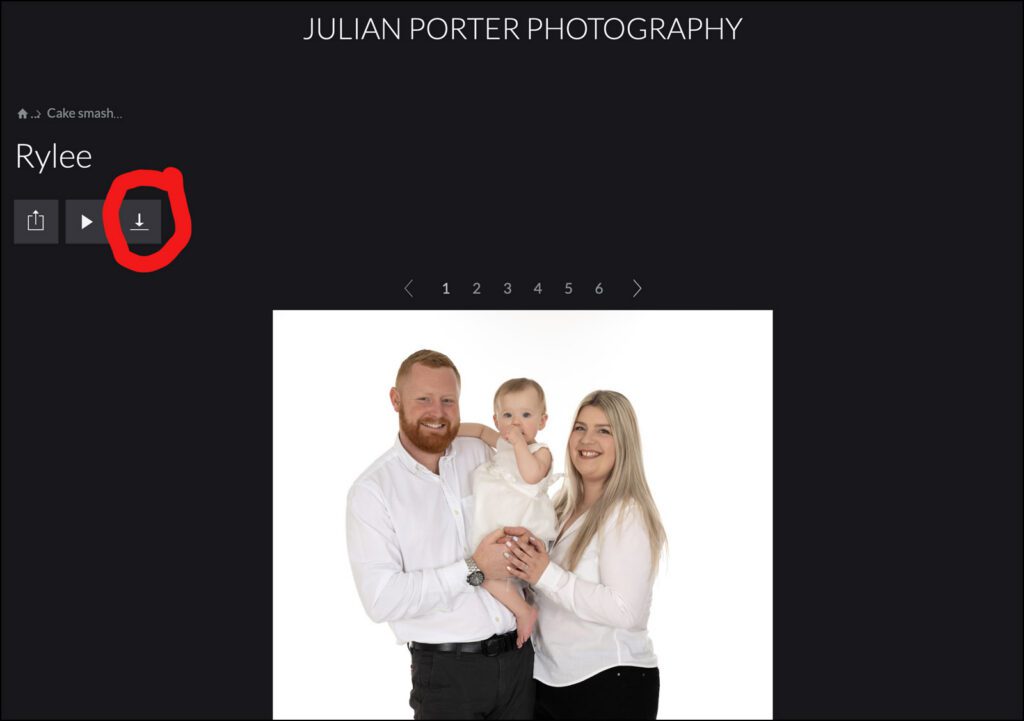
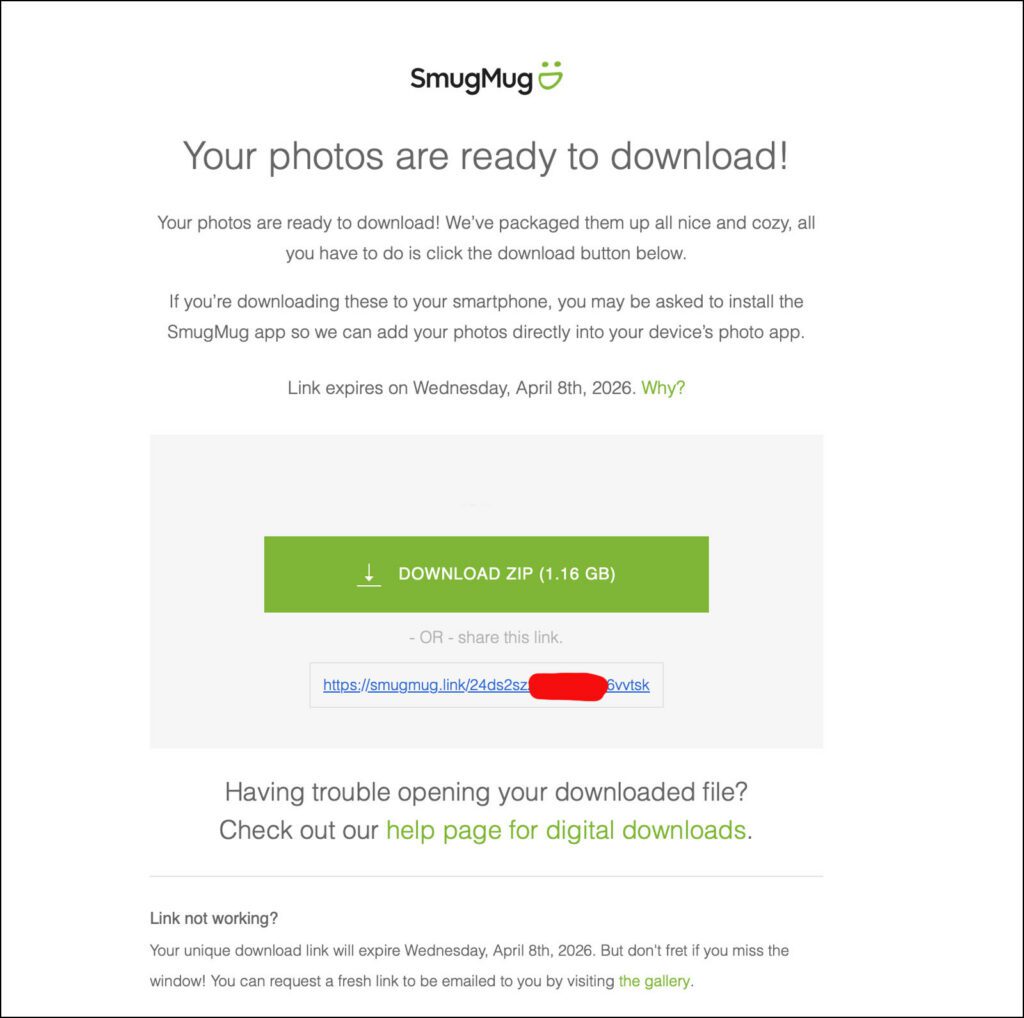
2nd option if you scroll up you will see another download icon ABOVE THE FIRST PHOTO like the once circled below in red. Click on that and it will ask for an email address to send the download link too. Once done Smugmug will send you a link like in the 2nd photo below. Click that big green button and it will download the whole gallery to your computer. Please be aware this is a large amount of photos so a computer is better than a mobile Device for the whole album downloads. There is also a link to a handy download guide on that page.
Any problems please txt or email me, describing the problem to either: 07720325336 or julianporter@mac.com